New: edit your video by talking

Raw video in, ready to post in minutes.And the ideas for the next one.

The edit that used to take hours, with cuts, captions, zooms and B-roll, done for you. For TikTok, Reels, Shorts and YouTube.

  1. Ideas
  2. Script
  3. Record
  4. Edit
  5. Clips
  6. Dub
  7. Post
  8. Grow
TikTokInstagramYouTubeFacebookLinkedInWhatsAppXand any app that takes video
Not ready yet? Try the free tools, no account needed
  • 20 free minutes, no card
  • 7-day Pro trial (card, nothing to pay today)
  • 7-day money-back guarantee
  • Cancel anytime
felvero.com/studio
Your next idea 81A competitor video at 7.8x its usual views
Ready to postTitle, caption and hashtags for TikTok, Shorts and Reels
One plan, every tool

Cancel the stack.
Keep the results.

Research, scripts, recording, editing, clips, dubbing, thumbnails and publish copy usually mean a separate subscription each. In Felvero they share one profile, so every step already knows your niche.

Start free
  • Trend and competitor research$29
  • AI script writer and teleprompter$20
  • Screen and webcam recorder$15
  • Auto captions and editing$24
  • Long video to clips$29
  • AI dubbing in your own voice$22
  • Stock B-roll library$20
  • Thumbnail maker$15
  • Titles, captions and hashtags$10
Separate tools, per month$184+
Felvero, all of itfrom $10/month
Typical prices for standalone tools, rounded. Felvero price billed yearly.
Raw take → ready to post

Same take.
Before and after.

Drag the slider. On the left, the take straight from the phone. On the right, the same take after Auto Edit: the false start gone, the pauses cut, warmer colour, zooms and captions word by word.

RAW · 0:10
READY · 0:07
  1. Transcribed word by word
  2. A repeated line cut: “is to record”
  3. Pauses cut on real silence
  4. Punch-in zooms and a warmer look
  5. Captions word by word, key words in colour
Raw take0:10
Ready to post0:07

Stumbled on a line? Say it again: retakes and false starts are dropped and your last take stays. No timeline, no keyframes, no typing captions. Review every cut in the editor, then render once.

Edit my first video A real edit: this take went through Auto Edit as you see it.
Auto Edit

An editor that already
did the editing.

No timeline to fight, no captions to type. Review every cut, caption and zoom in a live preview, then render once.

  • Follows the speakerWide video reframed to 9:16 with the face kept in view.
  • Edit by textDelete a sentence in the transcript and it leaves the video.
  • Finish in Premiere or DaVinciExport your cuts as an XML timeline when you want to keep editing.
  • Your languageName the language you speak so captions stay in your words.
Everything Auto Edit does
Caption styles

32 caption styles.
Word by word, burned in.

Bold, clean, playful or hand-written. Words pop in as you say them, key words grow in your colour and emojis land where they fit. Switch styles on a finished video without editing it again.

Headline
Bubbly
Comic
Marker
Glow
All about auto captions
New · AI influencer

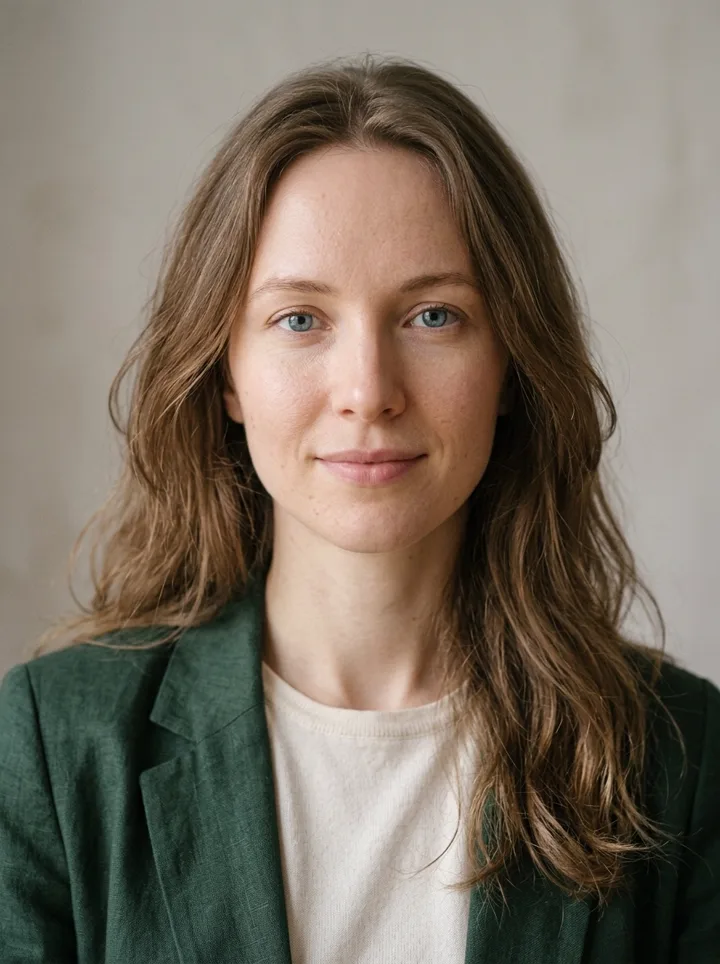
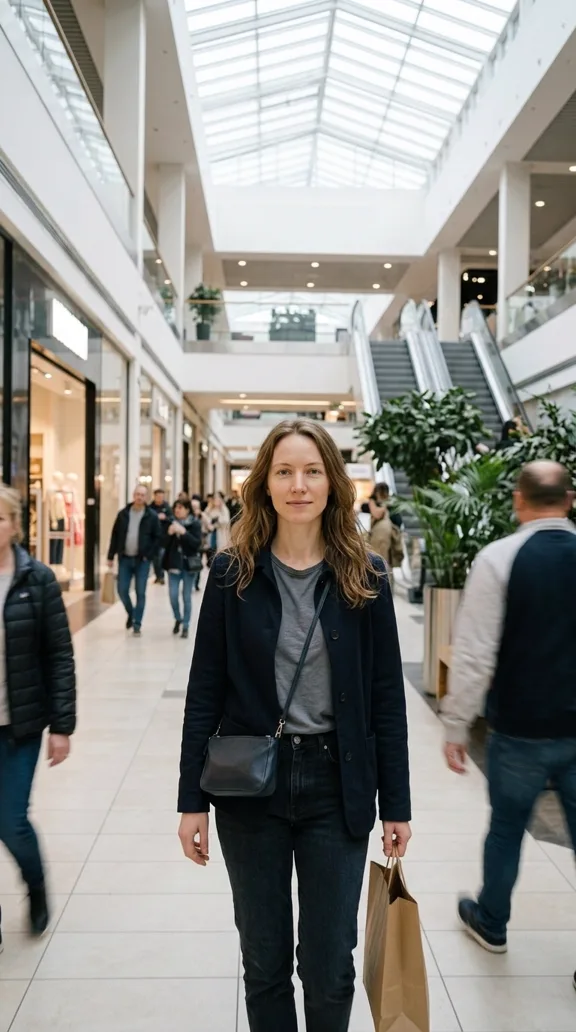
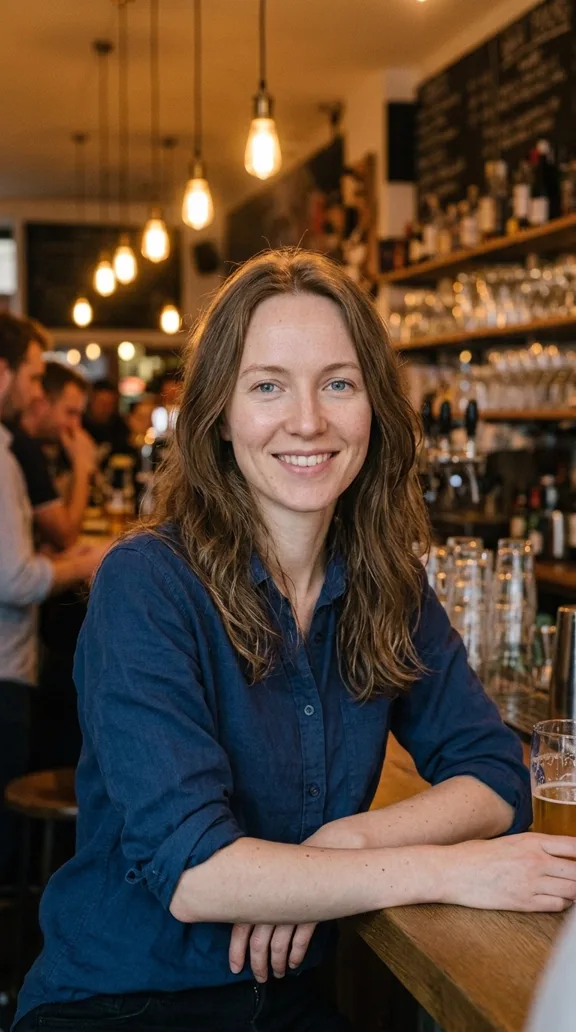
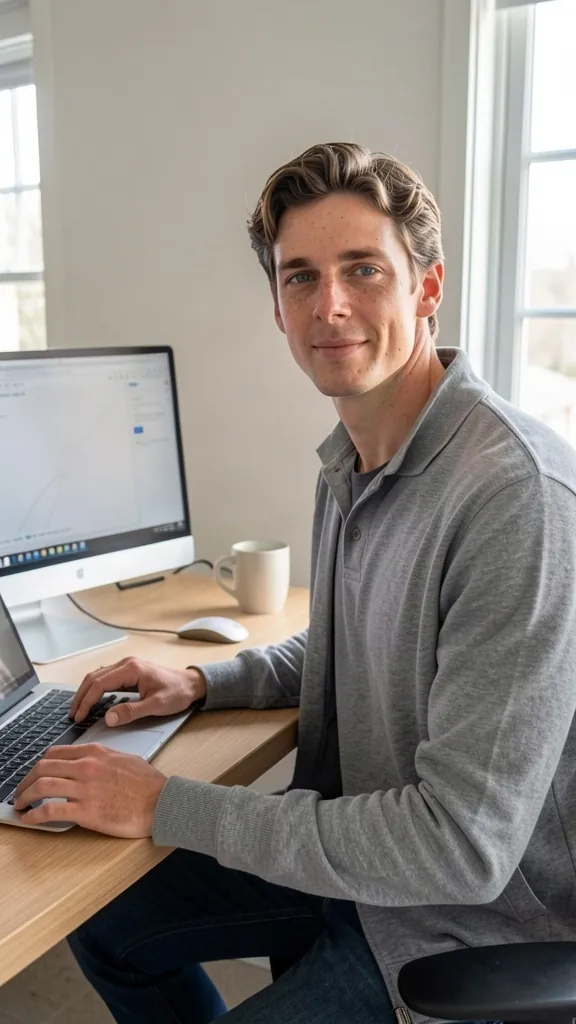
Your own AI influencer.
The same face in every post.

Pick the look or describe it in your own words. Felvero keeps that face and makes photos and talking videos of her or him anywhere: at the gym, on the beach, at work. In more than 30 languages.

A paid add-on: get it alone, no plan needed. Try it free with any paid plan.
Emma, frontEmma walking in a shopping centerEmma smiling in a barEmma laughing at her phone
Emma: one face, every scene
Paul, frontPaul walking down a city streetPaul at a coffee shopPaul working at his desk
Paul: one face, every scene
New: edit by talking

Say it. It edits.
Or do it yourself, on a real timeline.

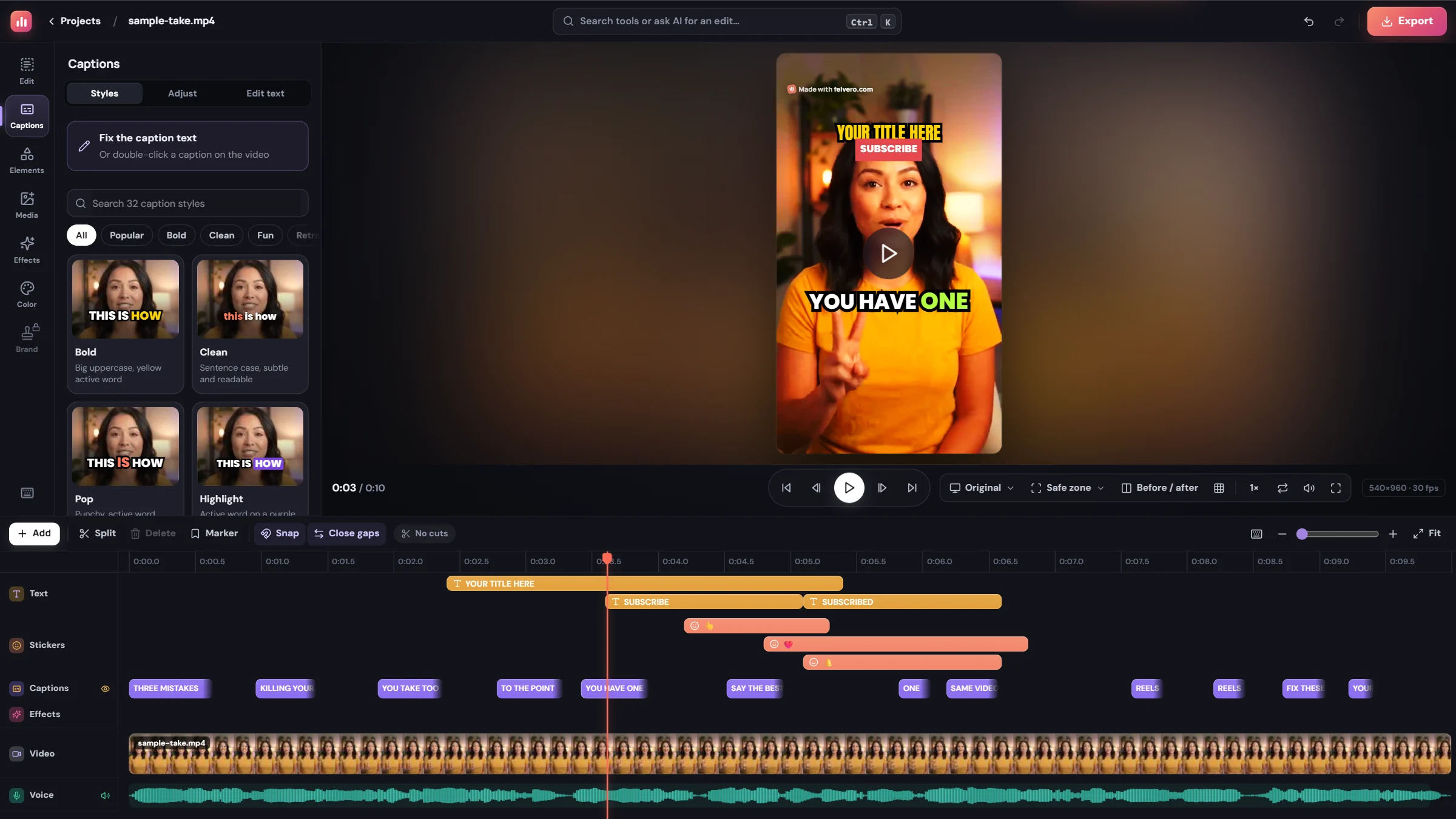
Say or write what you want in your own words: cut a sentence, blue captions in a bigger font, a subscribe button at the end, a zoom when you say the key word. It lands on the video right away, you can change anything by hand on the timeline, and one Undo takes it back.

The Felvero video editor: the preview with Hype captions, a title and a subscribe button, the caption styles, and a timeline with text, stickers, captions, effects, the video and the voice
  • A real timelineCut, split and trim; text, images and stickers on their own tracks.
  • Ready calls to actionSubscribe button, bell, follow, comment, in English or Portuguese.
  • Voice-over and sound effectsRecord over the video, add music and a library of effects.
  • Video on topA second video in a corner, picture in picture.
  • Text that movesMake a title travel and grow over its time.
  • Review link for clientsThey comment at the exact second, no account needed.
Exports in every format at once: vertical, horizontal and square.
Clips

One long video. Up to fifteen clips.

Upload a podcast, live or long video. Felvero transcribes it and picks the moments that work on their own, each with a strong hook and a score for how likely it is to hold attention. Post them as Shorts, or as horizontal clips for a YouTube clip channel.

  • Up to 15 standalone moments from up to 3 hours
  • A highlights Short: the best moments, one after another
  • Vertical 9:16 Shorts or horizontal 16:9 clips
  • Active speaker and split screen for podcasts
Dubbing

Speak once. Post in another language, in your own voice.

Felvero translates what you said and speaks it in your cloned voice, timed to when you talk, with captions in the new language. Reach viewers in Brazil, the US or Spain with the video you already made.

  • Your own voice, not a stock narrator
  • 11 languages, from English and Portuguese to Spanish and Japanese
  • Your cuts, look and effects stay the same
  • You keep the original and get the dub as a new video
Know what to make

Stop guessing.
Start with what’s already working.

Research that used to take a weekend of tabs and spreadsheets, running for your niche every day. Then a plan for the week and a script for each video.

Ideas backed by evidence, scored for you.

Felvero combines everything it researched into video ideas for your audience. Each one comes with a score, why now, the format that fits and the evidence behind it.

  • Opportunity score tailored to your profile
  • Why now, in plain words
  • Straight into a script with one click
Record

No phone needed.
Record right here, in the browser.

Your webcam, your microphone and the teleprompter on one page. Hit record, and the take goes straight to Auto Edit: nothing to install, no file to send from your phone.

See yourself, read your script, hit record.

Open the studio, pick a format and a script, and record with your webcam. The script scrolls near the lens so your eyes stay on the camera. Stop, and the take goes straight to the edit, with no file to move from your phone.

  • Webcam and microphone checks for light and sound before you start
  • A teleprompter near the lens, at your pace or following your voice (beta)
  • When you stop: one edited Short, or several clips from a longer take
Record my first take
Post everywhere

Ready for every app.
Caption included.

Publish kit

Titles, captions and hashtags, written for every platform.

Every finished video comes with what to post next to it. Felvero reads what you said and writes it for YouTube, TikTok and Instagram, in the language you speak. Then download it in the shape each app wants.

  • Three title options and a YouTube description
  • Captions for TikTok and Reels with focused hashtags
  • A comment to pin and cover text, copied in one click
  • An AI thumbnail with your headline, in one click
  • Vertical, horizontal or square MP4 for any app
  • Direct posting to YouTube, TikTok and Instagram coming soon
Thumbnail studio New

Thumbnails and covers for every network. Say what to change.

Start from a YouTube link, your photo or a frame of your video, and write right on the image. Pick from 28 text looks, labels, shapes, hundreds of emojis and free photos, or tell the AI what you want, by voice or text, and it builds the whole thumbnail.

  • YouTube, Shorts, TikTok, Reels, Instagram, X, Pinterest and podcast sizes
  • 28 text looks, ready labels, shapes and 486 emojis
  • Changes and whole designs from your own words, spoken or written
  • Saved in your account, ready to open and change
Make a thumbnail Free to make by hand; the AI comes with any paid plan.
Grow

Posted.
Now see what worked.

Your channels and a coach show what worked and what to make next, from your own numbers.

Your own numbers, with what to do next.

Add your YouTube, Instagram and TikTok to track growth day by day, see which uploads beat your usual and get next steps built from your own results, not generic advice.

  • Every upload compared to your usual
  • Your best time to post, from your own results
  • A part 2 planned for every video that beat your usual
  • A review of each video three days after you post
  • What your viewers ask in the comments, turned into video ideas
Pricing

Simple plans.
Every tool included.

Start free with 20 minutes, no card needed (a one-time sample). Or try Pro free for 7 days with a card: cancel before day 8 and pay nothing.

Start free, no card required

20 minutes and every editing effect, Pro ones included. Upgrade only if you like it.

Start free

Creator

For creators posting a few times a week.

$15/month

or $10/month billed yearly ($120, save $60)
Each month, up to:

150Shorts you recorded, edited

25 hof podcasts and lives cut into clips

or any mix of the two · up to 15 AI clips per video
Choose Creator Cancel anytime. Full refund within 7 days of your first payment.

Plan limits:

  • Unused minutes roll over for one month
  • 40 scripts a month
  • 20 AI thumbnails a month
  • 100 questions to your AI coach about your channel
  • 2 of your own channels analyzed: results and what viewers ask
  • 10 competitor channels tracked

Includes:

  • AI clips from podcasts and long videos, each scored 1–100 for how well it holds attention
  • A highlights Short from every long video: its best moments, one after another
  • Animated captions in 57 languages
  • Silences, filler words and retakes cut automatically
  • Vertical framing that keeps your face in view
  • B-roll from your own videos
  • Teleprompter that follows your voice, and scripts in your own style
  • AI hooks for every video, and a hook check before you post
  • Dubbing into 11 languages in your own voice
  • Radar, Trends and a weekly plan of what to post
  • 1080p, no watermark

Studio

For high-volume creators with many channels.

$89/month

or $59/month billed yearly ($708, save $360)
Each month, up to:

1,200Shorts you recorded, edited

200 hof podcasts and lives cut into clips

or any mix of the two · up to 15 AI clips per video
Choose Studio Cancel anytime. Full refund within 7 days of your first payment.

Plan limits:

  • Unused minutes roll over for one month
  • Unlimited scripts
  • 150 AI thumbnails a month
  • 1,000 questions to your AI coach about your channel
  • 10 of your own channels analyzed: results and what viewers ask
  • 50 competitor channels tracked
  • 200 AI B-roll images a month

Everything in Pro, plus:

  • 2.4× Pro's minutes: up to 200 hours of podcasts a month
  • Fastest rendering: top of the queue
  • API and webhooks (Zapier, Make, n8n)
Also in every plan
  • Automatic zooms and color on every take
  • Speech enhancement: background noise removed, voice levelled
  • Vertical, horizontal or square videos
  • Free music library: 50+ public-domain (CC0) tracks, no credit needed
  • Full editor: text, stickers, music, sound effects, voice-overs, transitions and color
  • Every caption style, transition and color filter
  • Brand kits: save several looks, with your logo, intro and outro
  • Pacing check before you post
  • What your viewers ask, turned into video ideas
  • Titles, descriptions and hashtags for every video
  • YouTube chapters and a summary for long videos
  • Import from Google Drive, Dropbox or OneDrive links
  • Review links to get feedback before you post
  • Subtitle files (SRT, VTT) and XML for Premiere Pro and DaVinci Resolve
Optional add-on · paid separately

AI influencer

Create your own AI influencer, always with the same face, and post photos and talking videos of her or him. A monthly subscription of its own, with its own credits.

Here for the plans above?You don't need this. Your plan works fully without it; the AI influencer is an extra, only if you want it.
Only want the AI influencer?Get just this. No Felvero plan needed, and your first influencer is included.
Influencer

$19/month

100 credits a monthAbout 100 photos, or 20 videos of 5 s, or 10 of 10 sGet Influencer
Influencer Plus

$49/month

300 credits a monthAbout 300 photos, or 60 videos of 5 s, or 30 of 10 sGet Influencer Plus
Credit pack

$15

100 credits that never expireAbout 100 photos, or 20 videos of 5 s, or 10 of 10 sBuy 100 credits
  • 1 credit = 1 photo or 1 second of video, and you can mix: 100 credits make, for example, 50 photos and 5 videos of 10 s
  • On a paid plan? Try it free first: design her or him and get the photo sheet and 3 sample photos
  • Its own credits: it never uses your plan's minutes
  • Month credits renew each month; cancel the add-on anytime
7-day money-back guarantee

Not the right fit? Ask within 7 days of your first payment and we refund it in full. Cancel anytime from Plan & billing.

Free plan, minutes and payments

Free to start: 20 minutes, 3 scripts and every editing effect once (Pro ones too: B-roll, Active speaker, Split screen), in 720p with a small watermark. No card. It does not renew.

How minutes work: a Short uses its length; a long video turned into clips uses 1 minute for every 10, so a one-hour podcast uses 6 (under 10 minutes, it counts minute for minute).

Clip channels: horizontal 16:9 clips of up to 15 minutes for YouTube, from the same minutes. See how it works.

Run out? Add 60 minutes for $9. They never expire.

Prices in US dollars; taxes may apply where you live. Payments are processed securely by Stripe. See our refund policy.

FAQ

Questions,
answered.

Something else on your mind? Create your studio and look around, or read our Privacy Policy.

Who is Felvero for?

Creators, podcasters, coaches and small businesses who post videos on TikTok, Instagram, YouTube, LinkedIn or Facebook and want to post consistently without spending their week on research and editing.

Which social networks does it work with?

All of them. Felvero exports an MP4 in vertical 9:16 (TikTok, Reels, Shorts, Facebook Reels, WhatsApp Status, Kwai), horizontal 16:9 (YouTube, LinkedIn, X) or square 1:1 (Instagram, Facebook and LinkedIn feed). The publish kit writes the title and caption for YouTube, TikTok and Instagram, and My Channels tracks those three.

What exactly does Auto Edit do?

Upload a raw take and it transcribes it, cuts silences and long pauses, removes “um” and “uh”, drops retakes and false starts (keeping your last take of each line), reframes wide video to 9:16 while following the speaker, adds punch-in zooms, an automatic look and word-by-word captions in one of 32 styles. On top of that you can add AI B-roll, a hook title, a progress bar, sound effects, background music and voice cleanup. You review everything in the editor before rendering.

Can it turn a long video into clips for Reels, TikTok and Shorts?

Yes. Upload a podcast, live or long video of up to 3 hours to Clips and Felvero finds up to 15 moments that stand on their own, each with a strong hook. Each clip opens in the editor, and only the ones you render become MP4s.

Can Felvero dub my videos into another language?

Yes, on paid plans. Open Dubbing, upload a video and pick the language: Felvero translates what you said and speaks it in your own cloned voice, timed to when you talk, with captions in the new language. You keep the original too. A dub uses the video's length in minutes, for each language, and you see the cost before it starts.

Is it good for podcasts and interviews?

Yes. Upload the full episode to Clips and Felvero picks the moments that stand on their own. With one fixed camera, Active speaker cuts to whoever is talking; with two people, Split screen keeps both faces in view. Clips come out as vertical Shorts or horizontal 16:9 for a YouTube clip channel.

Do I need a camera or editing software?

No. Your computer's webcam is enough: record in the browser, reading from the teleprompter, or record your screen with your face in a corner for a tutorial. You can also upload a take from your phone. There is nothing to install and no timeline to learn.

How does Felvero know what will work in my niche?

It combines the topics in your profile, the creators and competitors you track, public trend signals and how recent videos perform against their own channel's usual pace. Every idea shows the evidence behind it.

What is the publish kit?

For every finished Short, Felvero reads what you said and writes title options, a YouTube description, captions for TikTok and Reels, hashtags, a comment to pin and cover text, in the language you speak. Copy each one with a click.

Does Felvero post for me?

Direct posting to YouTube, TikTok and Instagram is coming soon. Today Felvero gets your video and its text ready to post; you download the finished MP4 and publish it wherever you like, from TikTok and Reels to LinkedIn or WhatsApp.

Does it work if I don't speak English?

Yes. Captions come in 57 languages, including Portuguese, Spanish, French, German, Italian, Russian, Polish, Turkish, Indonesian, Vietnamese, Hindi, Bengali, Tamil, Chinese, Japanese and Korean. Name the language you speak so captions and publish kits stay in your own words, or translate the captions into any of the others.

How much does Felvero cost?

Start free with 20 minutes, no card needed. Paid plans are Creator ($15/month), Pro ($39/month, with a 7-day free trial) and Studio ($89/month), less when billed yearly. Every plan includes the research, planning, scripts and editor.

Can I cancel, or get my money back?

Cancel anytime from Plan & billing and you keep your plan until the end of the period. Cancel the Pro trial before it ends and you are not charged. If Felvero isn't right for you, ask within 7 days of your first payment and we refund it in full.

What happens to my videos?

They are stored privately and only you can access them. Original uploads are deleted after 7 days (a long video's as soon as its clips are cut) and finished videos after 30 days on paid plans or 7 days on Free, so download the ones you want to keep. You own everything you create.

Do I have to connect my accounts?

No. You can add a YouTube channel by link without logging in. Connecting Instagram or TikTok is optional and adds your own posts and followers to My Channels.

Your next video is
already waiting.

Set up your studio in a few minutes. Tell Felvero your topics and it starts researching right away. Start free, or try Pro for 7 days.

  • 20 free minutes, no card
  • 7-day Pro trial (card, nothing to pay today)
  • 7-day money-back guarantee
  • Cancel anytime
20 free minutes, no cardStart free